> For the complete documentation index, see [llms.txt](https://doc.nexaseller.com/llms.txt). Markdown versions of documentation pages are available by appending `.md` to page URLs; this page is available as [Markdown](https://doc.nexaseller.com/tutorials/panel-nexaseller/register.md).
# Register
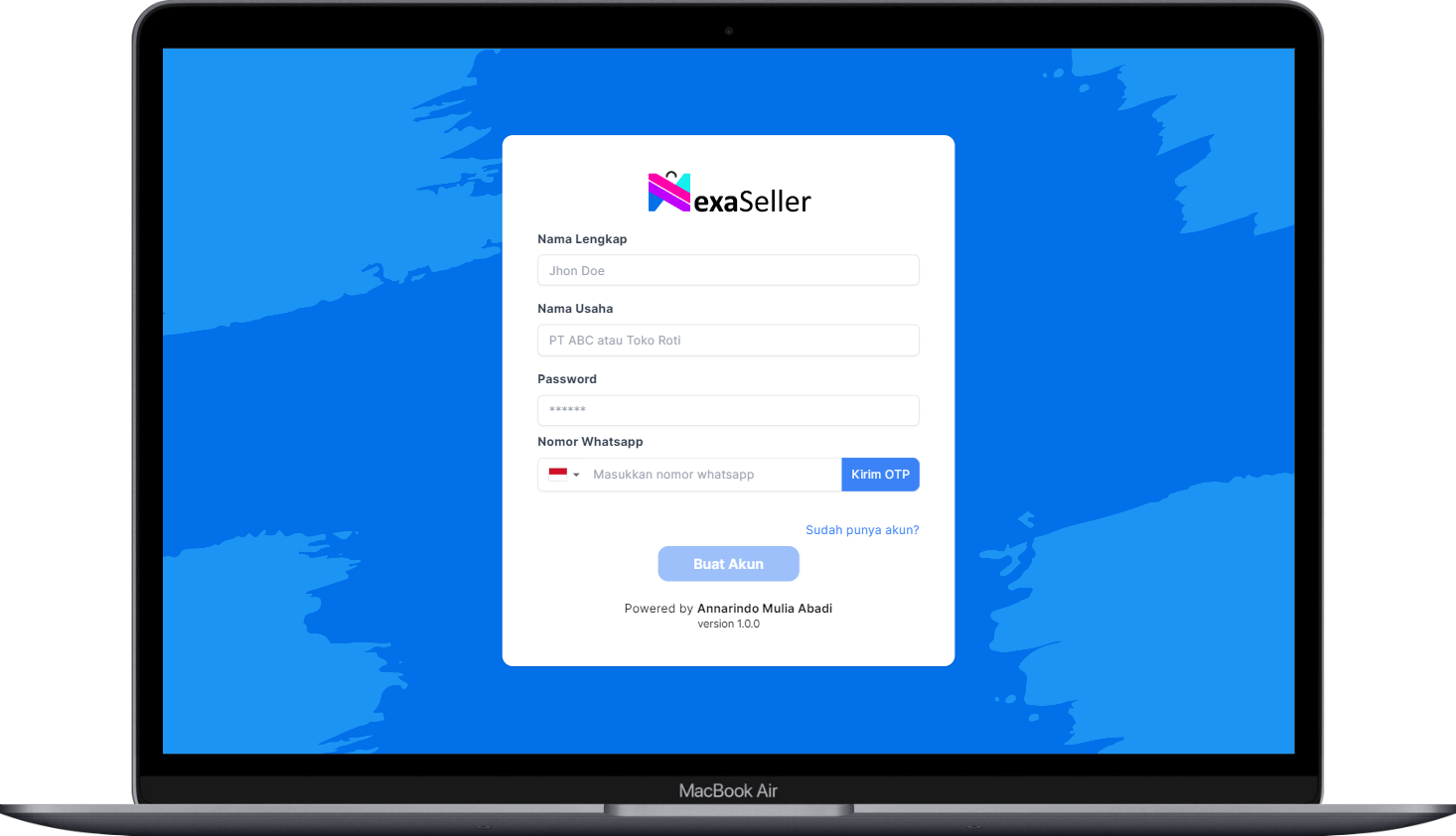
Halaman Register
Pada halaman register kamu akan diminta melengkapi data berikut:
* Nama Lengkap (Silakan isi nama lengkap kamu)
* Nama Usaha/Perusahaan (Isi dengan nama perusahaan atau nama toko online kamu)
* Password (Masukan password minimal 8 karakter)
* Nomor Whatsapp (Silakan isi nomor whatsapp kamu yang aktif karena akan digunakan untuk mengirimkan OTP)
Kalo datanya udah diisi semua, selanjutnya kamu klik tombol **`Kirim OTP`** dan sistem akan mengirimkan kode OTP ke nomor whatsapp kamu.
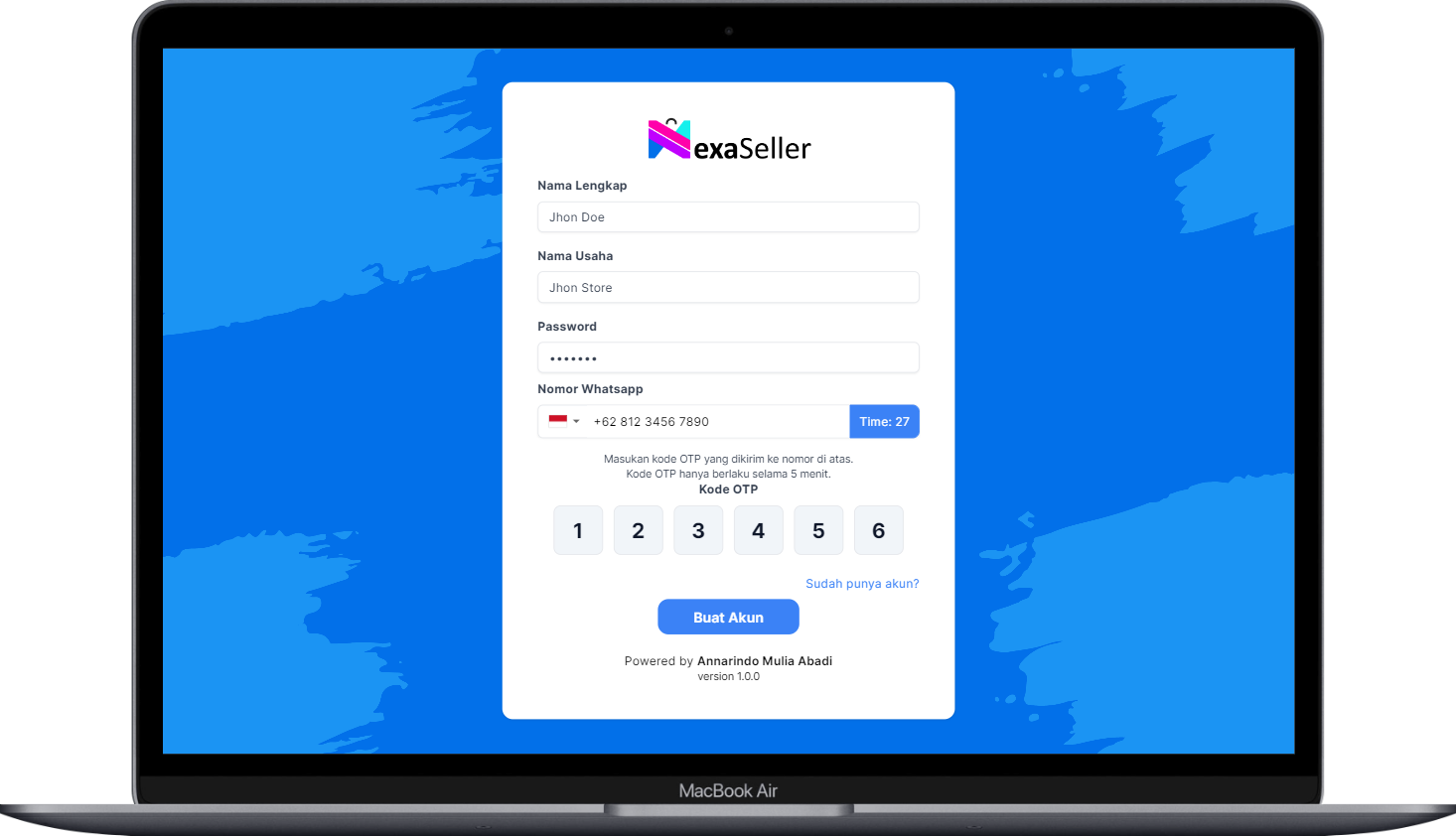
Input OTP
Kalo udah isi kode OTP yang dikirimkan lewat whatsapp. Selanjutnya, kamu klik tombol **`Buat Akun`** dan voila! akun kamu berhasil dibuat.