> For the complete documentation index, see [llms.txt](https://doc.nexaseller.com/llms.txt). Markdown versions of documentation pages are available by appending `.md` to page URLs; this page is available as [Markdown](https://doc.nexaseller.com/tutorials/panel-nexaseller/upgrade-paket.md).
# Upgrade Paket
Kalo udah berhasil buat akun Nexaseller, akun kamu akan menggunakan paket **`Free.`**
## Dari Register
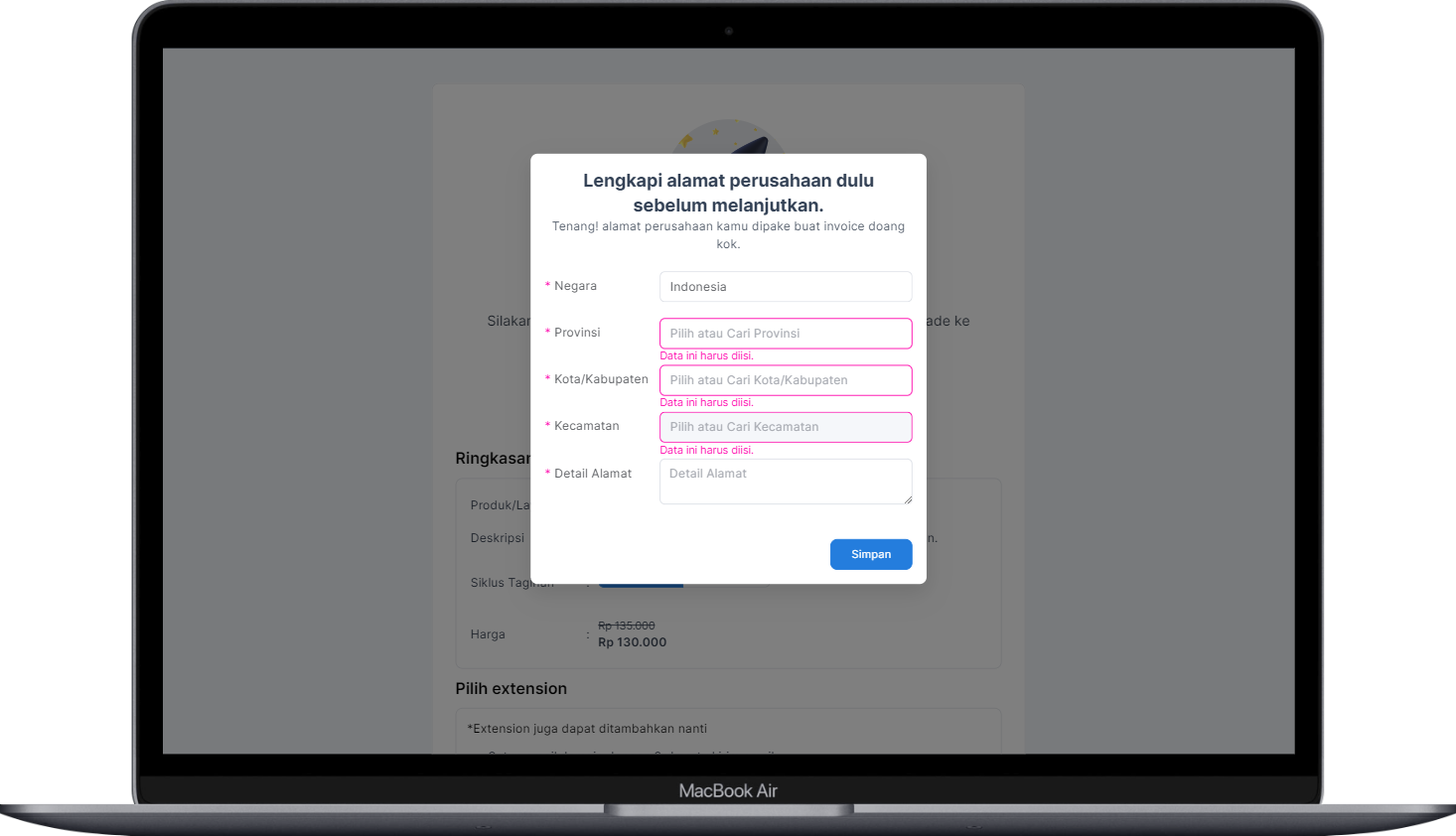
Kalo kamu baru buat akun, maka otomatis diarahkan ke halaman upgrade akun dengan tampilan seperti ini:
Lengkapi alamat
To do:
1. Silakan lengkapi **`Alamat Perusahan/Usaha`** kamu untuk kebutuhan invoice.
2. Selanjutnya silakan pilih siklus tagihan dan extension tambahan yang kamu inginkan dan klik tombol **`Selanjutnya`**.
3. Pada halaman selanjutnya silakan kamu pilih metode pembayaran dan klik tombol **`Lanjutkan Pembayaran`**.
Waiting Payment
4. Lakukan pembayaran dengan metode pembayaran yang kamu pilih dengan nominal yang tertera.
5. Jika pembayaran berhasil, maka akun kamu akan otomatis ditingkatkan, silakan kembali dan refresh halaman untuk melihat fitur yang terbuka.
## Dari Akun Free atau Standard
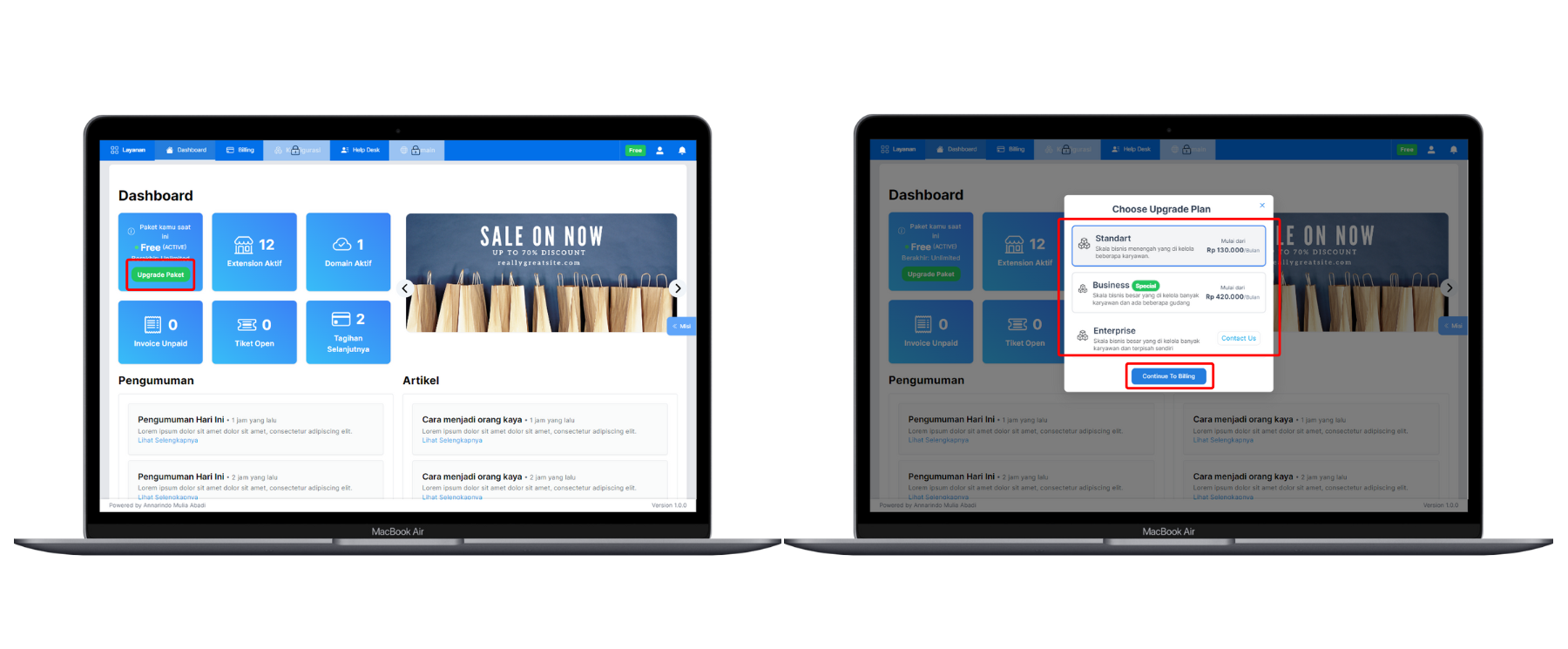
Untuk upgrade akun kamu bisa ke menu **`Layanan`** > **`Dashboard`** > **`Upgrade Now`**.
Pilih Paket
1. Pilih paket yang ingin kamu upgrade ke Standard atau ke Bussiness.
2. Klik tombol Continue to Billing dan kamu akan diarahkan ke halaman siklus penagihan dan metode pembayaran.
3. Gulir ke bawah dan klik tombol Lanjutkan.
4. Silakan pilih metode pembayaran dan lakukan pembayaran dengan metode yang kamu pilih dan akun kamu akan otomatis ditingkatkan jika pembayaran sudah berhasil.

.png?alt=media&token=f78284eb-10ff-4d7b-8012-35f6667161a3)
.png?alt=media&token=61d9e2ec-b2be-4fc8-9bdb-fc6825408701)